
Bodging Python venv on NixOS
Using computers in a non-intended way is always more fun!
Published on . 805 words.
Short backstory: I’ve been trying out NixOS on my laptop for a few months now, and now I’m needing to set up python on it to work on my final year project.
On most linux distros, venv is the way to go for managing python packages, however due to NixOS not being FHS-compliant, it’s not as simple.
The NixOS wiki has a few suggestions:
The recommended way (shell.nix)
As an example, here’s what the shell.nix for my final year project was looking like:
# shell.nix
let
  # We pin to a specific nixpkgs commit for reproducibility.
  # Last updated: 2024-10-19. Check for new commits at https://status.nixos.org.
  pkgs = import (fetchTarball "https://github.com/NixOS/nixpkgs/archive/8c4dc69b9732f6bbe826b5fbb32184987520ff26.tar.gz") { };
in
pkgs.mkShell {
  packages = [
    (pkgs.python3.withPackages (python-pkgs: with python-pkgs; [
      # select Python packages here
      pyqt6
      dataclass-wizard
      pylint
      pynmeagps
      pyserial
    ]))
  ];
}
It’s pretty easy to manage, and almost entirely works! Except. Because it’s a nix shell and doesn’t create a venv, VSCode doesn’t know where to look for the packages, and constantly complains about missing imports. While absolutely not essential, I like type hinting and auto-completion within my IDE. Starting VSCode from within the shell didn’t seem to work either, alas.
What else can I try?
Does creating a venv with the system python work? Sort of, until you need to use a compiled package, where you’ll get an error like ImportError: libstdc++.so.6: cannot open shared object file: No such file or directory. As much as I love NixOS, the combination of it’s unique way of handling things, and my lack of knowledge of the “proper” way of doing things, are a bit of a pain sometimes.
The NixOS wiki suggests a few solution, the first of which is a script called “fix-python”, which attempts to patch the binary files in the venv to use the correct paths. An extremely cool idea! Unfortunately after running it, I was still getting the same error. The libstdc++.so.6 file it was failing to fetch is part of one of the packages fix-python patches so it should have worked - it’s possible it’s related to this issue, however I don’t have time to debug (yet), I have a project I need to work on.
I know the other solutions on the wiki are likely to work, but would take more time for me to learn than I have right now - I need to get working on my project so I have something to demo in a few days! So what else do I already know that I can bodge into a working solution?
The bodged way
If you’ve not heard of it before, distrobox is a really useful tool that makes setting up a podman/docker container running a different distro, and integrating it with the rest of your system, really easy. Is this overkill? Absolutely. Does it work? Yes!
Creating the container was easy:
distrobox create --name arch-gnss --init --image archlinux:latest --pull --additional-packages "fish python nano"
# wait a bit for it to download the latest image and set up the container
distrobox enter arch-gnss -- fish # running fish since that's the shell i like
Now I’m in the container, I can set up a venv as I would on any other distro:
python -m venv .venv
source .venv/bin/activate.fish
pip install -r requirements.txt
And it works! But I’ve still not solved the earlier issue of VSCode not knowing where to look for the packages. So rather than using my host system’s VSCode, I can install it in the container with sudo pacman -S code. I’m using the “Code - OSS” package rather than the visual-studio-code-bin package as they have store their config in different places, to avoid any conflicts, but I can still copy over my pre-existing config with cp "~/.config/Code/User/settings.json" "~/.config/Code - OSS/User/settings.json". However this comes with a new issue: Microsoft, in their infinite wisdom, have decided that you can only run pylance, their extension for type hinting, on the official build of VSCode. Closed source software is great, isn’t it? As documented in this StackOverflow question, it’s possible to manually install an old version of the extension from 2023 - I’m not sure how long this’ll continue to work for, but I only need it for a couple months. Incredibly janky, but it works!
As a final step, I can export the container’s vscode to my host system to make it easier to run:
distrobox-export --app /usr/share/applications/code-oss.desktop # from within the container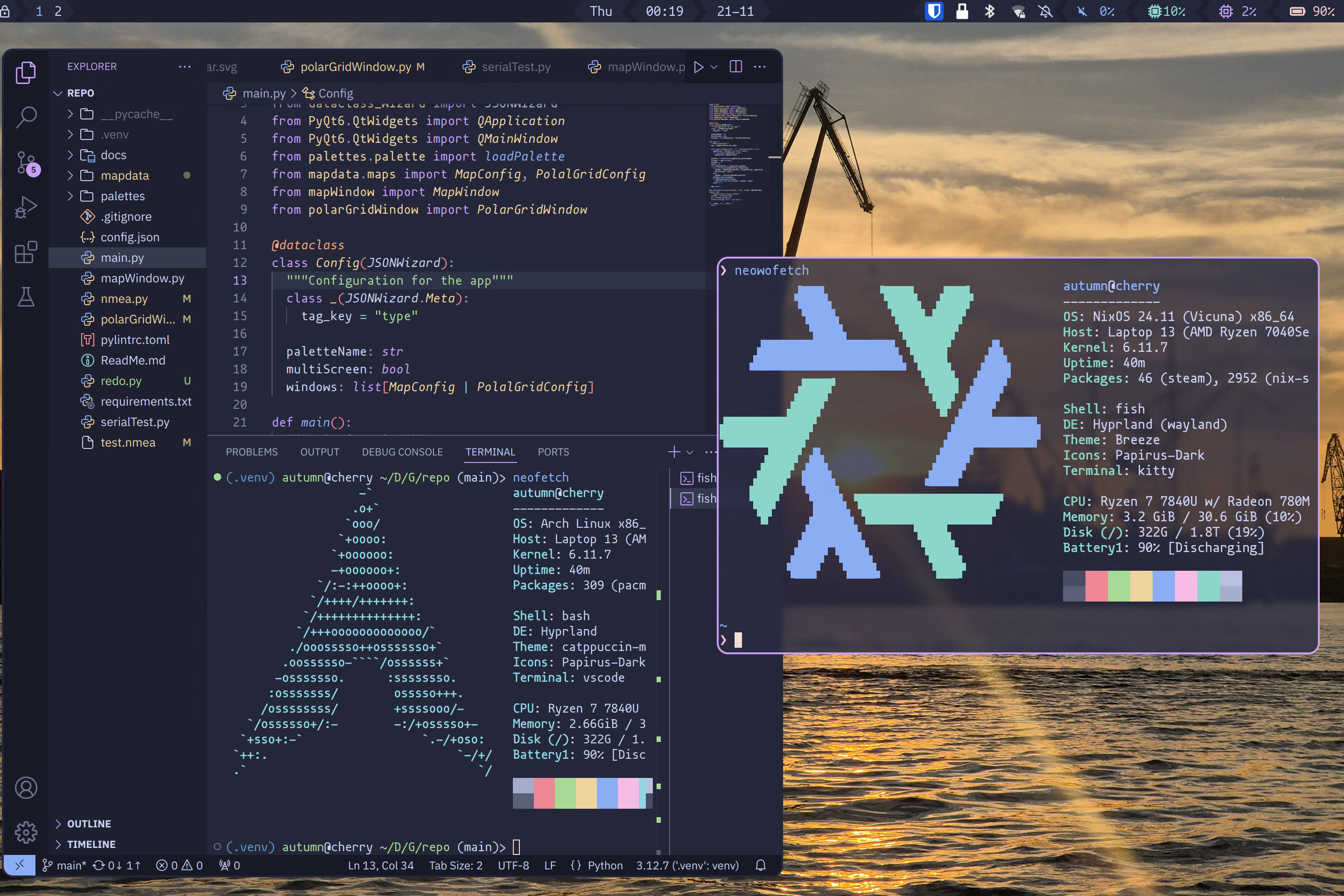
Was there some other way to solve this? Almost certainly. But I didn’t have time to find it, and this works for now. And that’s it! A bodged and janky, but working, solution.